
The Ultimate Guide to WhatsApp Automation with n8n
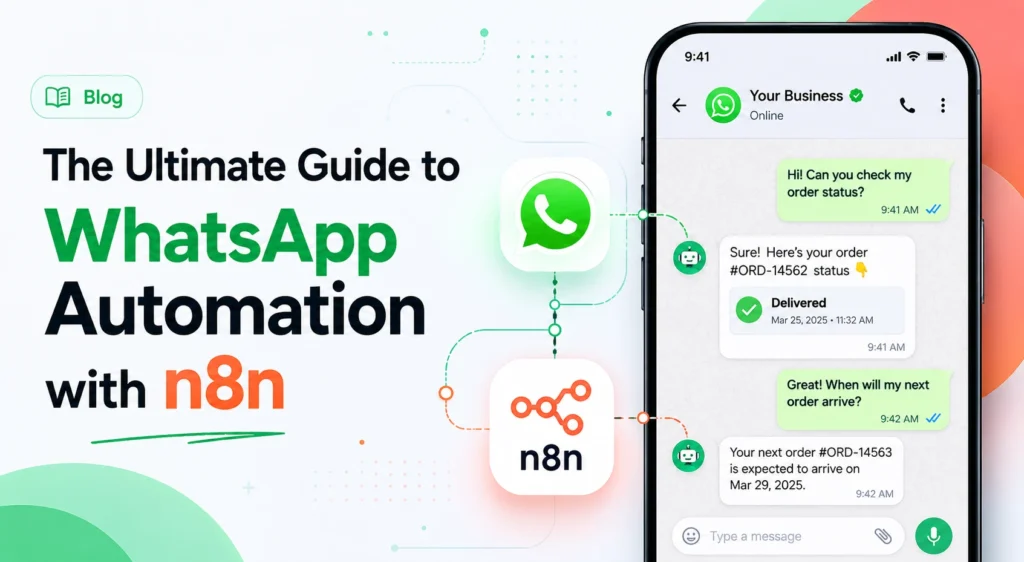
WhatsApp automation n8n is the process of connecting Meta’s messaging platform to your internal databases using flexible, AI-powered workflows instead of rigid out-of-the-box software. Many businesses currently pay high monthly subscription fees for basic chatbots that fail the moment a customer makes a typo or asks a complex question. When basic bots force your live support team to step in constantly, your automation software becomes an expensive bottleneck rather than a solution.
We design enterprise-grade workflows that eliminate these dead ends by mapping natural language directly to internal systems. Building agentic logic connects your real-time data and sets up dynamic responses. You get a clear blueprint to construct systems that understand customer intent accurately and reduce your execution costs by up to 80 percent.
The Blueprint to Enterprise WhatsApp Automation Using n8n
Messages sent through WhatsApp currently see open rates up to 98 percent. These campaigns also generate response rates between 45 and 60 percent, easily outperforming traditional email or SMS channels. Businesses tapping into this channel often see revenue increases of 25 to 40 percent within their first quarter. However, the software you use to manage these conversations dictates your actual profit margins.
We prefer a different approach for complex business processes. Using n8n for WhatsApp automation gives you a flexible, scalable alternative to expensive vendor platforms. Instead of paying premium monthly fees for limited API access, you can build custom orchestration layers that sync natively with your existing databases. This setup reduces automation execution costs by up to 80 percent while giving you complete ownership of your data architecture.
For scaling enterprises and budget-conscious operations alike, this method offers total control. You can design high-conversion workflows that fit your exact sales cycle rather than adjusting your business to fit a software tool.
Why Traditional WhatsApp Bots Fail (and Why n8n is the Solution)
Most businesses start their messaging strategy with basic rule-based bots. These simple setups work fine for answering basic business hours questions or sending standard greeting messages. The problem starts when customers reply with complex questions, typos, voice notes, or screenshots. Traditional bots fail instantly when faced with these unstructured inputs, leading to frustrated users and abandoned conversations.
Standard platforms also limit your ability to pull real-time data from legacy ERPs or custom databases. When a customer asks for a specific order update, a basic bot cannot query your internal systems to give an accurate answer. This forces your team to step in manually, defeating the purpose of the automation software entirely.
We use n8n to fix this exact problem through intelligent AI processing. The platform serves as a universal connector between the messaging interface and your backend systems. This plays out differently depending on your data needs.
Rule-based Logic vs. Agentic Workflows
Basic logic flows break the moment a user deviates from the planned menu path. A rule-based bot looks for exact keyword matches, meaning a slight typo ruins the entire interaction.
Agentic workflows solve this by using artificial intelligence to understand the actual intent behind a message. These smart systems adapt to varied linguistics, slang, and multi-part requests automatically. A user can ask three questions in one messy sentence, and the workflow will reason through each part to deliver a complete answer.
Data Blockage in Legacy and Custom Integrations
Traditional automation tools often restrict you to basic web apps or manual spreadsheet triggers. This creates a massive data blockage when you need real-time syncs with on-premise inventory systems.
Three specific capabilities make n8n the better choice for data movement:
- Direct API connections The platform connects Meta’s API directly to your CRM without requiring expensive middleman software. This direct link ensures your customer records update instantly.
- Custom ERP syncs You can build real-time synchronization loops with legacy systems to keep inventory data perfectly accurate. These loops prevent customers from ordering out-of-stock items.
- Instant data parsing Incoming customer data routes immediately into your secure databases for instant sales team visibility. Your team can act on fresh leads the second they arrive.
The n8n “Universal Data Fabric” Advantage
Connecting different software tools usually requires paying extra fees for premium integration apps. n8n acts as a universal data fabric, allowing you to connect Meta, your CRM, and complex vector databases from a single interface.
This gives you fine control over data mapping between cloud applications and on-premise servers. You decide exactly how information moves across your organization. Get this right and the rest of your automation strategy becomes significantly easier to manage.
Technical Prerequisites: Setting Up for Scale
Before you can build an AI agent for WhatsApp, you must lay a solid technical foundation. This preparation phase determines how well your workflows will handle high message volumes later on. Many businesses rush this step, only to face account restrictions or missing data when their traffic spikes.
Setting up a true enterprise-grade system requires proper authorization from Meta and a reliable hosting environment. You need to configure your business profiles correctly to ensure your automated messages reach user inboxes without triggering spam filters. A clean technical setup also lowers your ongoing maintenance costs significantly.
We always start by verifying the core infrastructure before mapping out a single automation path.
Meta Business Manager: Verification and Access
Your automation journey starts inside the Meta Business Manager. This central hub controls your API access and verifies your company identity.
- Business verification Register your official company details with Meta to prove your operational legitimacy. Verification protects your brand from impersonation.
- Account connection Link your active WhatsApp Business account to the centralized management dashboard. This centralizes your communication metrics.
- Dashboard configuration Access the developer application settings to prepare for upcoming API integrations. Proper settings prevent data routing errors.
Dedicated Phone Number
The API requires a completely fresh phone line to function properly. You cannot use a number that is currently active on the standard consumer app.
- Clean history The chosen number must not have any previous association with the WhatsApp Business App. A fresh number guarantees a clean sender reputation.
- Vendor leasing Working with an approved business solution provider often speeds up the leasing and approval process. Providers handle the backend compliance checks for you.
Running n8n (Cloud or Self-hosted)
Your hosting choice dictates both your scaling capacity and your long-term software costs. Cloud hosting offers quick scaling for operations that expect sudden spikes in customer messages or high concurrency needs.
Self-hosting gives you total control over your data privacy and eliminates per-message execution fees entirely. We highly recommend this route for businesses managing sensitive customer information or strict compliance requirements.
Meta Developer Portal: API Credentials & Token Management
The Meta Developer Portal is where you generate the digital keys needed to connect your systems. Without these credentials, your n8n workspace cannot communicate with the messaging network.
- Permanent access tokens Generate long-lasting authentication keys to keep your workflows running without constant manual resets. These tokens secure your connection endpoints permanently.
- Webhook configuration Enter your specific n8n listener URLs so Meta knows exactly where to send incoming user replies. Accurate URLs prevent lost customer messages.
- Policy checks Review the official business messaging policies to confirm your planned automated templates meet compliance standards. Strict adherence avoids account suspensions.
Step-by-Step: Building a WhatsApp Automation Workflow in n8n
Once your technical prerequisites are active, you can begin constructing the actual automation logic. This process involves linking specific nodes within your workspace to capture, process, and return data instantly. The goal is to build a reliable circuit that handles incoming customer queries without any manual oversight.
A successful n8n WhatsApp integration relies on clear data pathways. When a user sends a text, Meta pushes a complex JSON payload to your server. Your workflow must catch this payload, extract the readable message, decide what the user wants, and formulate an accurate reply.
We approach this build phase systematically to ensure no customer messages slip through the cracks.
Step 1: Catching Messages with the n8n Webhook Node
The Webhook node acts as the front door for all incoming customer communications. You must configure this node to listen for specific GET and POST requests sent from Meta’s servers. The GET request handles initial verification, while the POST request catches the actual message contents.
Parsing the inbound JSON payload correctly is crucial for the rest of your flow. Meta sends a deeply nested data structure containing the user’s phone number, profile name, and message text. You can use native JSON mapping tools to extract just the exact text string you need. Once parsed, this clean data moves smoothly to the next step.
Step 2: Intent Classification and Agentic Routing
Raw text is useless until your system understands what the customer actually wants to achieve. You need a dedicated routing stage to direct traffic toward the correct business logic.
- Conditional switch routing Use simple text matching to send users down dedicated paths for sales, support, or order tracking. Clear paths resolve basic queries quickly.
- AI agent classification Connect an AI processing node to interpret messy inputs, spelling errors, and multi-intent queries accurately. AI engines decipher true customer intent instantly.
Step 3: Injecting Dynamic Context (The Power of Data Integration)
A personalized response requires historical context about the person sending the message. Before generating any reply, your workflow should query your internal databases using the customer’s phone number as the primary search key. This rapid lookup fetches the user’s real name, recent purchase history, and any active support tickets.
The system then injects this dynamic context directly into the AI prompt. For example, your n8n setup might pass this exact system prompt: “You are a helpful assistant talking to John, who bought shoes yesterday; answer his shipping question concisely.” Sending a highly specific, context-rich response immediately builds trust. This data injection moves the conversation forward significantly faster than generic replies.
Step 4: Dispatching the Response via HTTP Request or Native Node
The final step requires sending your formulated reply back out to the customer’s mobile device. This happens through a secure POST request aimed directly at Meta’s message endpoint.
- Pre-approved templates Use registered business notifications to initiate new conversations or send structured alerts like shipping updates. Meta requires templates for all initial outreach.
- Free-form responses Reply instantly with dynamic text during an active customer service window to maintain a natural conversation flow. Flexible text builds stronger user trust.
High-ROI Automation Use Cases You Can Build with n8n
Setting up an integration simply to say you have a chatbot is a massive waste of resources. The real value of this technology comes from deploying specific workflows that directly impact your bottom line. Automation should actively generate new revenue, recover lost sales, or dramatically lower your operational overhead.
With n8n, high-value automation moves beyond simple customer support deflection. You can build advanced sequences that monitor user behavior and trigger personalized outreach at exactly the right moment. Because the platform connects directly to your secure databases, these workflows execute with perfect accuracy.
We see the highest return on investment when businesses focus their automation efforts on specific revenue friction points.
Intelligent Lead Qualification
Capturing inbound leads quickly prevents potential buyers from seeking out your competitors. An automated qualification flow ensures every single prospect receives immediate attention regardless of the time of day.
- Instant data capture The system grabs raw incoming text and pulls the phone number directly into your CRM. Your sales records stay completely updated automatically.
- Automated AI scoring An LLM chain evaluates the prospect’s request, assigns a lead score, and identifies their specific product interest. High scores alert your top closers immediately.
- Smooth team routing The system instantly forwards highly qualified prospects to the correct human sales representative for closing. Fast routing prevents competitive drops.
Automated Abandoned Cart & Drip Sequences
E-commerce stores lose massive amounts of revenue to abandoned digital shopping carts every single day. You can trigger custom cron jobs in n8n when your database logs a specific cart abandonment event.
The workflow then pings the user with a timed reminder containing exact product details and customized discount offers. These personalized, timing-optimized flows dramatically outperform standard bulk email reminders. Implementing this specific recovery sequence can reduce total cart abandonment by up to 40 percent almost immediately.
Secure Multi-System Synchronizations
Operations teams often waste hours manually copying data between different software environments. WhatsApp automation can act as a trigger to update multiple secure systems simultaneously.
- Real-time dashboard updates Logistics trackers and inventory counts update the exact moment a customer confirms a delivery. Accurate tracking eliminates fulfillment delays.
- Instant billing execution Payment applications trigger automated invoicing sequences as soon as a contract is approved via chat. Automated billing secures cash flow faster.
- Error reduction Moving data programmatically eliminates the risk of human typing errors across your enterprise databases. Clean data preserves your reporting accuracy.
Maintaining the Human Element: Handoff Strategies
Automation should help your customer experience, not create frustrating dead ends. Even the most advanced AI agent will eventually encounter a complex problem it cannot resolve on its own. When a user is upset or requires highly nuanced assistance, forcing them to interact with a bot damages your brand reputation.
This is why we always build explicit handoff strategies into our n8n workflows. You can program the system to monitor conversation sentiment continuously using AI processing nodes. If the algorithm detects rising frustration or anger in the user’s text, it can automatically pause the automation sequence. The system then pings your live support team via internal chat applications or an open-source ticketing platform to intervene.
You can also create manual triggers that allow users to request human assistance directly. When a live agent takes over, the workflow passes along the entire chat history so the customer never has to repeat their issue. This human-in-the-loop approach ensures high-touch exception management while still keeping your routine support costs incredibly low.
Frequently Asked Questions
What is WhatsApp Marketing Automation?
WhatsApp marketing automation uses software to send, receive, and manage customer messages programmatically. It allows businesses to trigger personalized follow-ups, promotional offers, and order updates without manual data entry. You can build advanced workflows that guide users through a complete sales funnel entirely within the chat interface.
Does WhatsApp marketing automation require the WhatsApp Business API?
Yes, you need the official WhatsApp Business API to run true marketing automation at scale. The standard consumer app and the basic business app do not support programmable workflows or complex integrations. Securing API access allows you to connect your number directly to tools like n8n and your CRM.
How much does WhatsApp marketing automation cost?
Costs vary based on your software infrastructure and messaging volume. Meta charges a small fee per conversation based on the message category and user region. While out-of-the-box CRMs often charge high monthly subscription fees, self-hosting your automation on n8n eliminates recurring software costs almost entirely.
What are the popular use cases for WhatsApp automation?
The most profitable use cases directly impact revenue generation and operational efficiency. Businesses frequently automate lead qualification, abandoned cart recovery sequences, and instant customer support routing. You can also build secure multi-system synchronizations that update inventory and billing dashboards the moment a customer confirms a delivery.
Is WhatsApp marketing automation compliant with WhatsApp policies?
Yes, provided you strictly follow Meta’s official business messaging policies. You must collect explicit user opt-ins before sending any promotional content or outbound notifications. Additionally, your automated workflows must use pre-approved message templates for business-initiated conversations to avoid account bans.
How long does it take to see results from WhatsApp marketing automation?
Most businesses observe measurable improvements in customer engagement within the first week of deployment. Because messaging open rates consistently hover near 98 percent, automated campaigns generate immediate visibility. Revenue impacts, such as recovered carts or faster lead closures, typically become apparent within the first 30 days.
How to set up Meta Business Manager for WhatsApp Business API?
Start by creating a Meta Business Manager account and submitting your official company details for verification. Once approved, navigate to the developer dashboard to create a new application connected to the WhatsApp product. You can then generate your permanent access tokens and configure your webhook destinations.
How to connect WhatsApp node and webhook URL in n8n?
Drag a Webhook node onto your n8n canvas and configure it to accept both GET and POST requests. Copy the unique production URL generated by the node. Paste this URL into the webhook configuration section inside your Meta Developer dashboard to establish the live data connection.
Why do traditional WhatsApp bots fail?
Traditional bots rely on rigid logic that breaks when users make typos or ask complex questions. They cannot adapt to natural human language, slang, or multi-part requests. Standard bots also struggle to fetch real-time data from internal company databases, resulting in frustrating dead ends for customers.
How to switch between AI agent and human manager from one WhatsApp account?
You can program your n8n workflow to monitor conversation sentiment or listen for specific trigger words like “help.” When triggered, the automation pauses the AI responses and updates a status field in your database. The system then alerts a human agent via internal chat applications to smoothly take over the chat.
What are the eligibility requirements for a WhatsApp API?
You must have a registered legal business entity and an approved Meta Business Manager account. You also need a dedicated phone number that is not currently active on any standard WhatsApp application. Finally, your business model must comply with Meta’s strict commerce and messaging policies.
Conclusion
Messaging automation stops being a simple customer support tool when you connect it directly to your core operations. By moving away from rigid rule-based bots and adopting intelligent routing, you create a responsive system that actively recovers abandoned carts and qualifies leads. Your business stops forcing customers into frustrating menu loops and starts delivering accurate answers based on real-time data.
At Brand Arquitects, we do not just automate tasks. We build AI Automation systems that understand the context of your business, from initial lead qualification to post-purchase support, so your team focuses on work that actually moves the needle. We design data architecture that integrates perfectly with your existing tools without adding expensive monthly fees.
If you want to design and deploy custom workflows that scale with your customer base, book a free 30-minute technical discovery call with Brand Arquitects. We will discuss your exact requirements and map out an automation plan tailored to your sales cycle.